
Who has the right qualifications?
The skills overview shows you, for example, who holds a category C driving licence. If you assign a shift to someone who lacks a required qualification, you get a warning.
For each shift, you can see how many people you need and who is already scheduled. That helps you decide whether to approve leave or find cover when someone is absent.

of Belgian police zones have attended a Dienstplanner demo.
of Belgian police zones use Dienstplanner to schedule their staff.
less time needed to prepare the shift schedule for the next period.
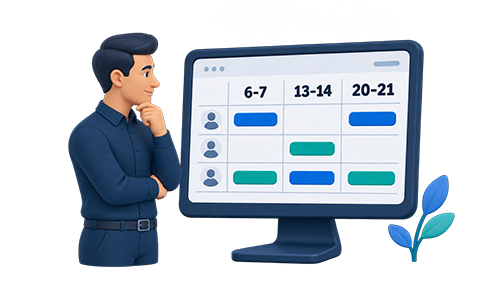
The skills overview shows you, for example, who holds a category C driving licence. If you assign a shift to someone who lacks a required qualification, you get a warning.
The annual overview shows how many weekends each person has worked. When sharing out upcoming weekend shifts, you can also compare weekend hours to account for the difference between a short Saturday shift and a full weekend.
The leave counter and the pending requests counter show, day by day, how many people already have leave approved and how many requests are still under consideration. You can see which days would be short-staffed if you approved all the requests.

Staff can say in advance which shifts they would like to work and which days they would prefer to have off. As requests come in, the running count shows which shifts have enough volunteers and where you still need someone.
QuickPlan drafts your shift schedule. It assigns open shifts across the team, taking rest periods and weekend work into account. You can include staff preferences too. You can see where cover is still needed and adjust the proposal before approving it.
The credit line automatically calculates each team’s expected share of support hours. It accounts for working patterns and long-term absences, so a temporarily understaffed team is expected to contribute fewer hours. The statistics show expected hours alongside hours already worked, helping you decide who takes the next support assignment, HyCap deployment or station duty.
Before sharing the schedule, you can check for overlapping shifts and short rest periods. You choose when your team sees the schedule and can share training and leave dates earlier. Staff who link their personal calendar see their full published schedule there, including subsequent updates.
When two colleagues propose a swap, Dienstplanner checks their qualifications and rest periods. A swap that meets the rules can be approved automatically. If a rule is not met, the planner decides.
Both planners and staff can offer a shift on the shift marketplace. Colleagues who want to take it on can put their names forward, and the planner can see who has responded.
Is a shift starting an hour earlier? With MassEdit, you can change the hours for everyone involved at once and have the new times emailed to them automatically.
If someone calls in sick or two colleagues want to work together, you can adjust the teams in the deployment order. At the briefing, everyone can see who they’ll be working with.
Has a shift’s start time changed? With AlertCenter, you can send the new time to the people working that shift as a push notification through the Dienstplanner app on their smartphones.
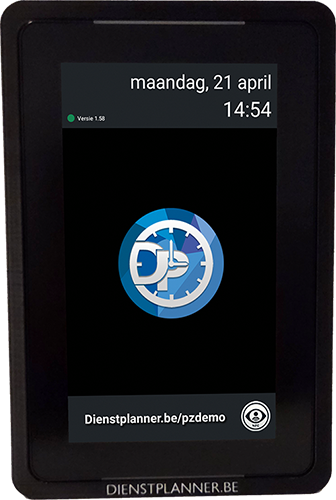
Staff clock in and out with their existing badge, such as a MIFARE or DESFire badge. At the same terminal, they can record the start and end of their meal break and submit their cycling allowance claim.
An export file lets you transfer duties from the schedule into your connected HR platform. For GALoP, for example, police zones can export all duties for a period or just the days that have changed.


You decide who can view or edit a schedule. The change history shows who changed a shift and when. Staff can sign in with their work account through Microsoft Entra ID, using your organisation’s multifactor authentication (MFA) settings. Dienstplanner runs exclusively on servers in Belgium.
We help your planners and administrators set up Dienstplanner around the way your organisation works. We train them to manage shifts, roles and request types themselves, and we’re available for questions after launch.
Regional Manager
What scheduling challenge does your team face? Share an example and we’ll show you how to approach it in Dienstplanner during the demo.